The Best Standing Desks for Developers in 2026
Stability, height range, and depth: the specs that quietly ruin a desk for long coding sessions, and how to check them.
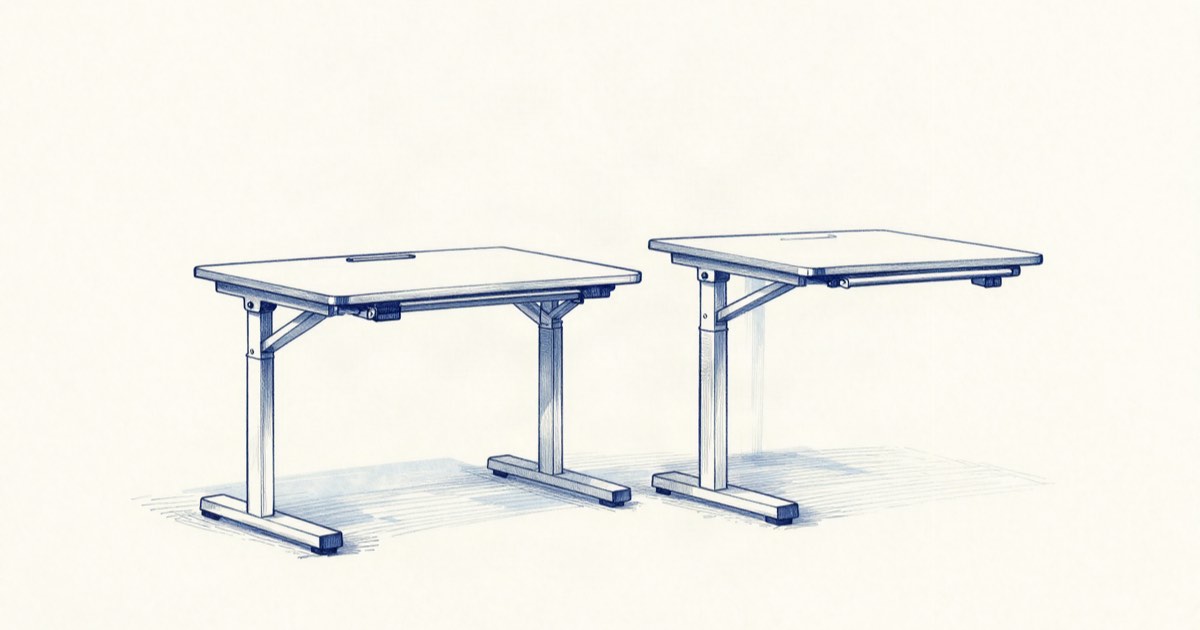
Most standing desk buying guides are written for people who stand for ten minutes and then sit back down. That is not you. You spend six to ten hours a day at a desk, often with two or three monitors, a mechanical keyboard, a laptop on a stand, and enough cable to wire a small studio. The desk that survives that load is a different machine from the one a marketing blog recommends to a general audience.
We spent time reading through spec sheets, owner reports, and teardown discussions to figure out which numbers actually predict a good experience for developers, and which ones are marketing noise. The short version: stability and height range matter far more than the wood finish, and the spec most people ignore — desktop depth — is the one that decides whether your monitors are at a healthy distance.
The four specs that actually decide it
Stability at full height. A motorized frame can lift 100+ kg and still wobble like a card table when raised. The reason is the column design. Two-stage legs (two nested tubes) reach a lower top height and shake more when extended; three-stage legs (three tubes) are pricier but noticeably steadier at standing height. If you type hard or your monitors are heavy, three-stage legs are the single upgrade that changes daily feel the most. Watch for the manufacturer quoting a load rating but staying silent on lateral sway — that omission usually means the sway is bad.
Height range, both ends. Sit-stand desks are sold on their top height, but the bottom height is what trips up shorter people and anyone who sits with a low chair. A desk that only drops to 71 cm forces a tall sitting posture. If you are under about 170 cm and want a genuinely ergonomic seated position, look for a minimum height near 60–65 cm. At the tall end, confirm the desk reaches your standing elbow height with a keyboard on top — measure from the floor to your bent elbow while standing, then subtract a couple of centimeters for the keyboard.
Depth, not just width. A 27-inch monitor wants to sit roughly an arm’s length away — about 60–70 cm from your eyes. On a shallow 60 cm desktop, that is physically impossible once you account for the stand. A depth of 70–80 cm gives you room to push displays back and still rest your wrists. Width is the spec everyone fixates on; depth is the one you regret.
Motor and controller quality. Dual-motor frames lift more evenly and handle uneven loads (a laptop dock on one side, nothing on the other) better than single-motor designs. A programmable controller with memory presets is not a luxury here — if switching between sitting and standing takes ten seconds of holding a button, you will simply stop doing it.
Frame first, top second
The smartest way to buy in 2026 is to treat the frame and the desktop as separate decisions. The frame is the part that fails, sags, or wobbles after a year. The top is cosmetic and replaceable. Buying a strong frame and pairing it with a separate solid-core or bamboo top often costs less than an all-in-one premium desk and gives you a better result, because you are not paying a markup on a particleboard surface.
If you go the all-in-one route, check what the desktop is actually made of. Many mid-range desks ship a laminated MDF top that holds up fine but can chip at the edges and sag under a heavy center load over time. Solid bamboo and rubberwood are heavier and more forgiving. For a developer with a clamp-mounted monitor arm, edge thickness matters too — a clamp needs roughly 1.5–6 cm of clearance, and some thin tops fall outside that range.
Cable management deserves a line item in your decision. A desk with a built-in tray or a grommet hole turns a 20-minute cable nightmare into a 5-minute job, and it keeps the cables from snagging as the desk travels through its full range. A standing desk that catches its own cables on the way up is a daily annoyance you will feel every single time.
| Spec | Acceptable | Better for developers |
|---|---|---|
| Leg stages | 2-stage | 3-stage (steadier when raised) |
| Motors | Single | Dual (even lift under uneven load) |
| Depth | 60 cm | 70–80 cm (proper monitor distance) |
| Min height | 71 cm | 60–65 cm (works for shorter sitters) |
| Controller | Up/down only | Memory presets |
Making the switch actually stick
Buying the desk is the easy part. The research on sit-stand work is consistent on one point: the benefit comes from alternating positions through the day, not from standing all day. Standing rigidly for eight hours trades one set of aches for another. The pattern most people settle into comfortably is short standing blocks of 20–40 minutes broken up across the day, anchored to natural breakpoints — a build running, a long test suite, a code review.
The friction is memory. Without a nudge, you will stand for the first three days and then forget the desk moves at all. Memory presets help because the cost of switching drops to a single button press. Some developers wire a reminder into their existing tooling — a calendar block, a timer, or a simple tracker doc — so the prompt to change posture is part of the workflow rather than a willpower exercise.
Notion
Build a simple workspace-and-posture log: track your sit/stand intervals, monitor heights, and the gear in your setup so you can tune it over weeks instead of guessing.
Free for personal use; paid plans from $10/user/mo
Affiliate link · We earn a commission at no cost to you.
If you are upgrading a full workstation rather than just the desk, sequence your spend. A stable frame, a chair that supports your seated hours, and a monitor arm that frees up desktop depth will do more for an eight-hour coding day than an expensive desktop surface. The desk is the foundation everything else clamps onto, so it is worth getting the frame right and treating the rest as adjustable over time.
FAQ
Do I need a three-stage frame, or is two-stage fine?
What desk depth do I need for two monitors?
Is standing all day better than sitting all day?
The desk you want is boring on paper: a dual-motor, three-stage frame with a wide height range and at least 70 cm of depth, topped with something solid enough to clamp an arm to. Skip the features that photograph well and spend on the parts that hold your hardware steady through a long day. That is the whole guide.
Related reading
2026-09-02
The Best Laptop Stands and Docks for a Home Office
Two 4K60 panels use about 25 of Thunderbolt's shared 40 Gbps, and no dock adds a display your chip refuses to drive. Five picks with the math.
2026-08-12
Picking a Humidifier for a Dry Home Office in 2026
Under 30% relative humidity means static, dry sinuses, and cracked wood. Compare the three technologies and their real upkeep cost.
2026-06-22
The Best Under-Desk Treadmills for Developers in 2026
How to compare deck size, noise, and speed range -- plus the standing-desk setup that makes walking while working sustainable.
2026-06-22
The Best Blue-Light Glasses for Developers in 2026
An honest look at what the evidence says these glasses do for eye strain, and what reduces it more cheaply.
2026-09-02
The Best Ergonomic Office Chairs for 8-Hour Days
Seat height, seat depth and lumbar range eliminate most chairs before comfort matters. Aeron, Leap V2, Sayl, Branch and Markus, compared on specs and warranty.
Get the best tools, weekly
One email every Friday. No spam, unsubscribe anytime.